
How to Check Steam Gift Card Balance – Quick Guide
✅ Steps to Check Your Balance
-
Go to the official Steam website (or open the Steam client/app) and log in. Steam+1
-
Click your username/profile in the top‑right corner → choose “Account details” (or “View My Wallet”). MyGiftCardSupply+1
-
Your current balance appears under Steam Wallet — this includes any redeemed gift cards. Steam+1
Check Balance via the Steam Official Website
The Steam official website is the best choice.
Steps:
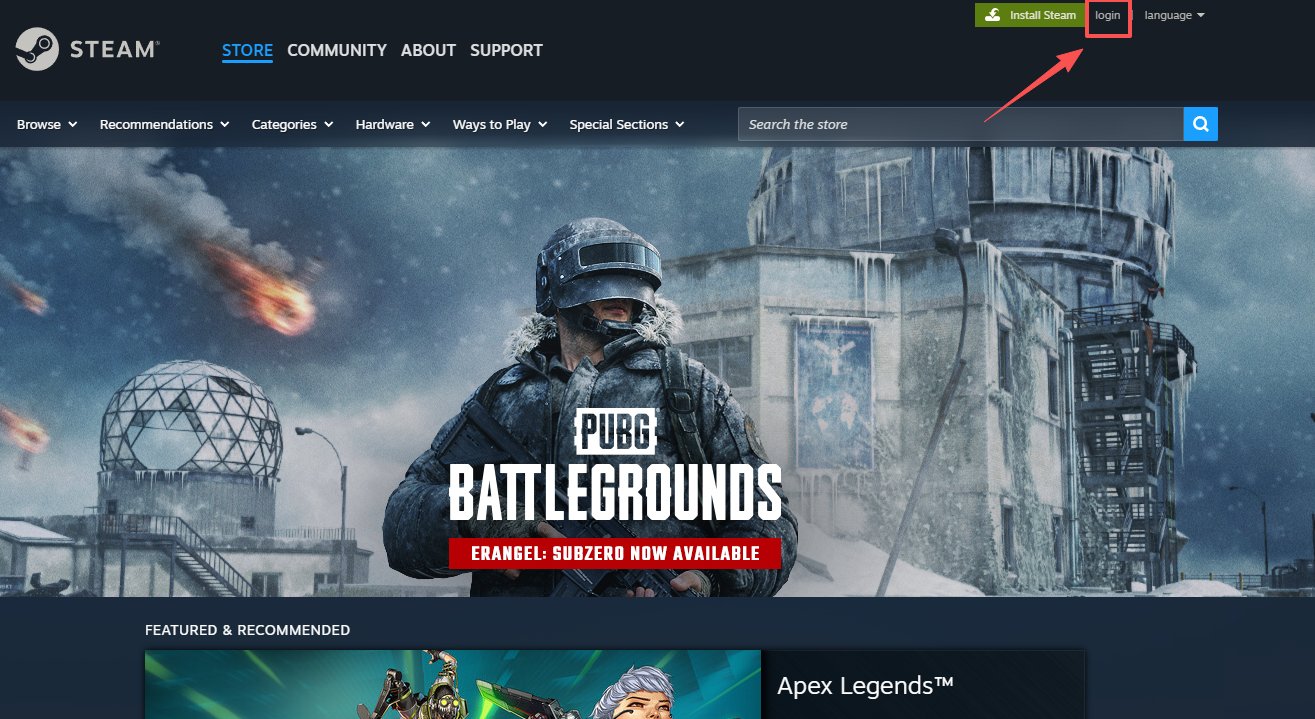
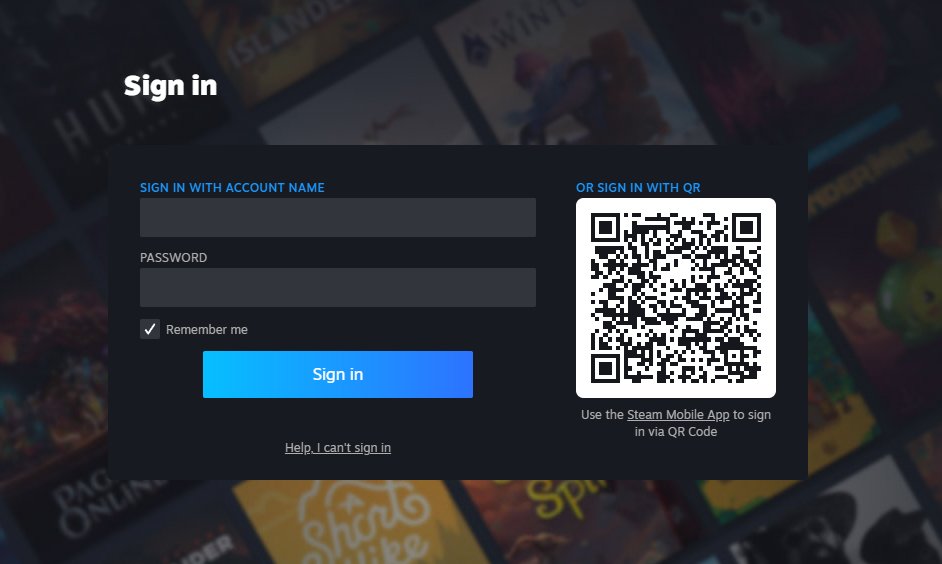
1.Open the Steam website on your mobile device or computer and log in. Click “Login” at the top-right corner of the homepage.
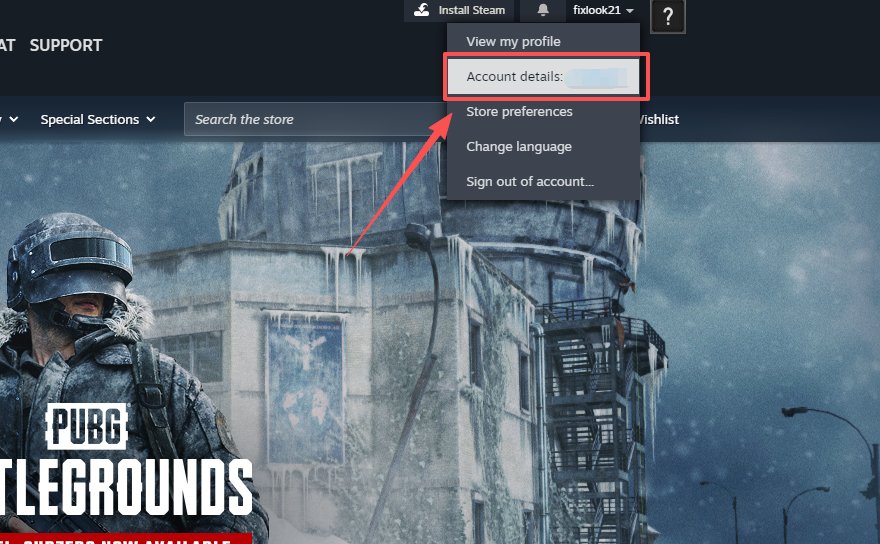
2.After logging in, hover your mouse over your profile name at the top-right corner.
3.Click “Account Details” from the dropdown menu.
4.Your Steam Wallet balance will be displayed near the top of the page.
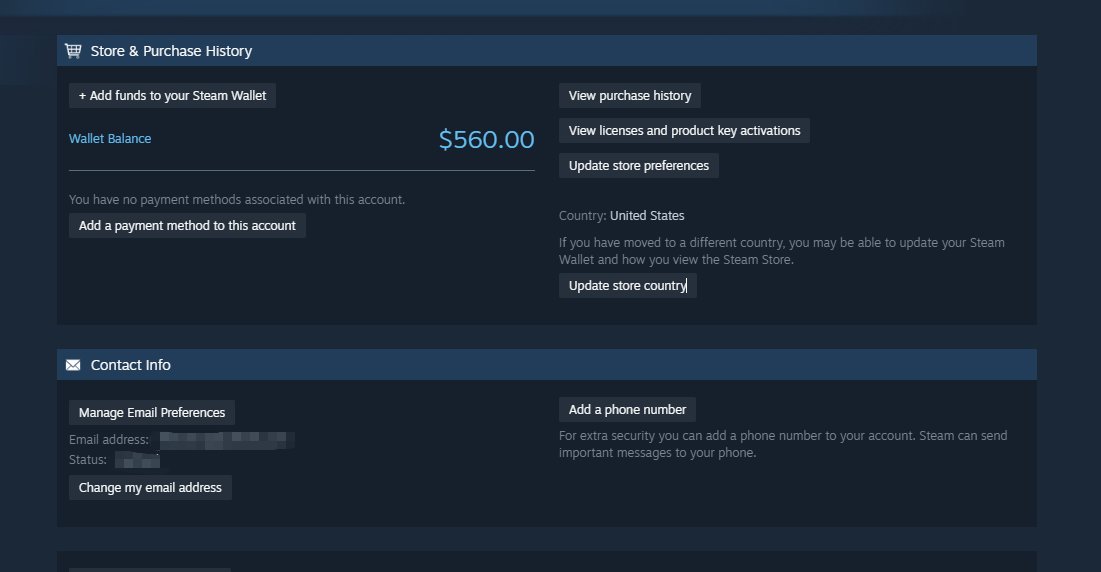
Note: If you haven’t added your gift card to your wallet, it will not appear in the wallet balance.
On Mobile
-
Open Steam app → tap the menu → go to Account Details / Wallet → you’ll see your balance. usenosh.com+1
If You Haven’t Redeemed Yet
-
Go to Redeem Your Code on Steam → enter the gift card code → after successful redemption, check your balance as above. Steam +1
ℹ️ Important Notes
-
There’s no official way to check the value of a gift card before redeeming — Steam shows balance only after redemption. Steam Community+1
-
If the card was already redeemed, balance will appear in your Wallet; otherwise, it stays blank. hlplanet.com+1
No Newer Posts