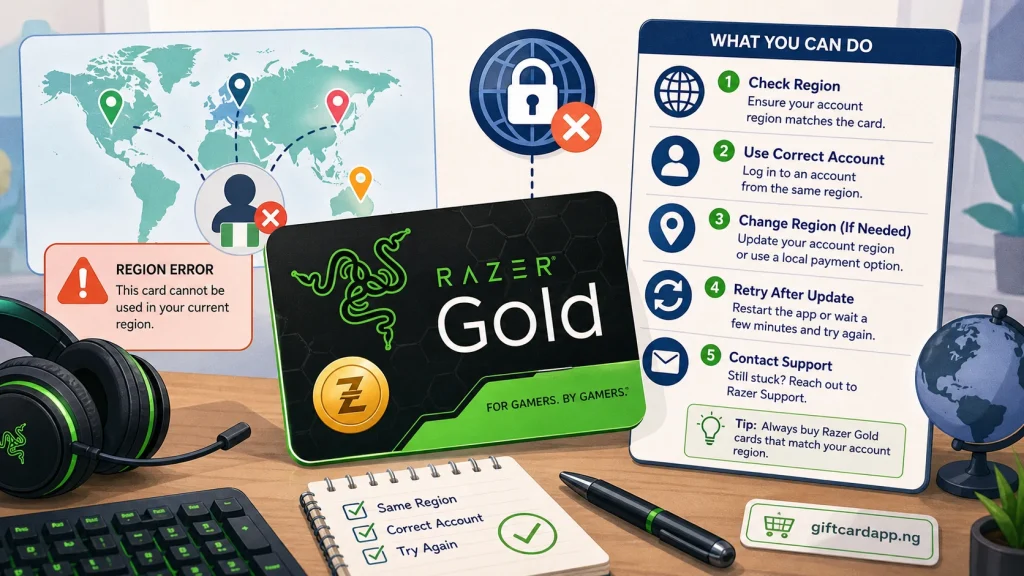
Quick answer: a Razer Gold region error usually means the PIN market does not match the wallet region or the merchant does not accept that wallet currency. Confirm that you entered the PIN rather than the serial number, check the wallet currency, and stop repeated attempts. Razer Gold Support is the only party that can inspect the transaction record.
Two region errors that look similar
| Error situation | What it usually concerns | Next action |
|---|---|---|
| Failed to reload | Wrong number, previously used PIN, or PIN and wallet region mismatch | Check the PIN source, wallet region, and purchase evidence. |
| Wallet region is not accepted | The game or merchant does not support the wallet currency | Use supported catalog content or ask the merchant about accepted currencies. |
| Phone and wallet region conflict | The mobile number does not correspond to the wallet region | Review the wallet profile and use official account support. |
| Successful reload, missing Gold | Processing delay or transaction delivery issue | Wait for the official delay window, then report the transaction ID. |
Make sure you have the right number
A Razer Gold product can show a serial number and a PIN. Razer’s help page specifically tells users to enter the PIN in full, not the serial number. Do not guess missing digits or submit the code to several wallets. Preserve a clear image of the complete card and the original purchase evidence before the scratch area deteriorates further.
Check wallet currency, not only your physical location
Open the Razer Gold wallet and identify its region or currency. Then compare that with the country and currency stated by the seller or printed on the product. “Razer Gold” is not one universal rate row: US, Singapore, Malaysia, and other market products can have different buyer demand and restrictions.
A merchant-side “wallet region is not accepted” message can also mean the game catalog does not support your wallet currency. In that case, buying another PIN may not solve the purchase. Confirm the merchant’s supported payment regions first.
Do not rebuild the account around one PIN
Avoid VPN switching, temporary phone numbers, or creating multiple wallets to force redemption. These steps can conflict with identity or two-step verification and make the account history harder for support to review. If the wallet was genuinely created for the wrong country, ask Razer Support what account correction is available.
Prepare a useful support case
Razer’s official help page asks for specific evidence when a reload fails. Prepare it once and use the support form linked from the official Razer Gold site:
- Razer Gold wallet email address
- Serial number and PIN, sent only through the official support request
- Proof of purchase or activation receipt
- Full screenshot of the error
- For a successful reload with missing balance, the transaction ID and time
Official reference: Razer Gold Help. Open support from that domain rather than a phone number or account posted in social media.
How the error affects resale value
An unresolved reload error is not a normal “no receipt” discount. It is an unknown-status card, so a careful platform may pause or reject it. First establish whether the problem is region, merchant support, prior use, or activation. When the status is clear, compare the exact market on the Razer Gold rate page and calculate an estimate. Never describe a generic Razer quote as guaranteed for every country.
Safe handoff checklist
- State the card country and currency.
- State whether it is a physical product or delivered PIN.
- Retain the receipt and do not crop identifying evidence.
- Ask for a final Naira quote before submitting any sensitive details.
- Use a platform with a traceable order record, not an anonymous chat buyer.
Razer Gold region-error FAQ
Are all Razer Gold PINs usable in every wallet?
No. Razer’s help guidance requires the PIN to be used with the correct wallet region, and merchant currency support can add another limitation.
What is the difference between the serial number and PIN?
The serial number identifies the product record; the PIN is the sensitive redemption credential. Follow the labels on the product and do not enter the serial number in the PIN field.
Does “wallet region not accepted” mean the PIN is bad?
Not necessarily. Razer explains that the merchant may not support the wallet currency. Check the merchant and catalog before judging the PIN.
Can GiftCardVibe check my Razer PIN?
No. We do not accept card details. Use Razer Gold’s official support channel for account or transaction checks.